← Bryan Lee05 / 07

Kite

05 / 07 · Private · Since Oct 2026

Email and calendar, one key at a time.

My Gmail and Google Calendar in one app. The mail that needs me comes first, the rest reads like a morning paper, and every action has a key.

Private. On my Mac and iPhone.
Made for
Me
My role
Idea, design, and code
Status
Private, on my Mac and iPhone
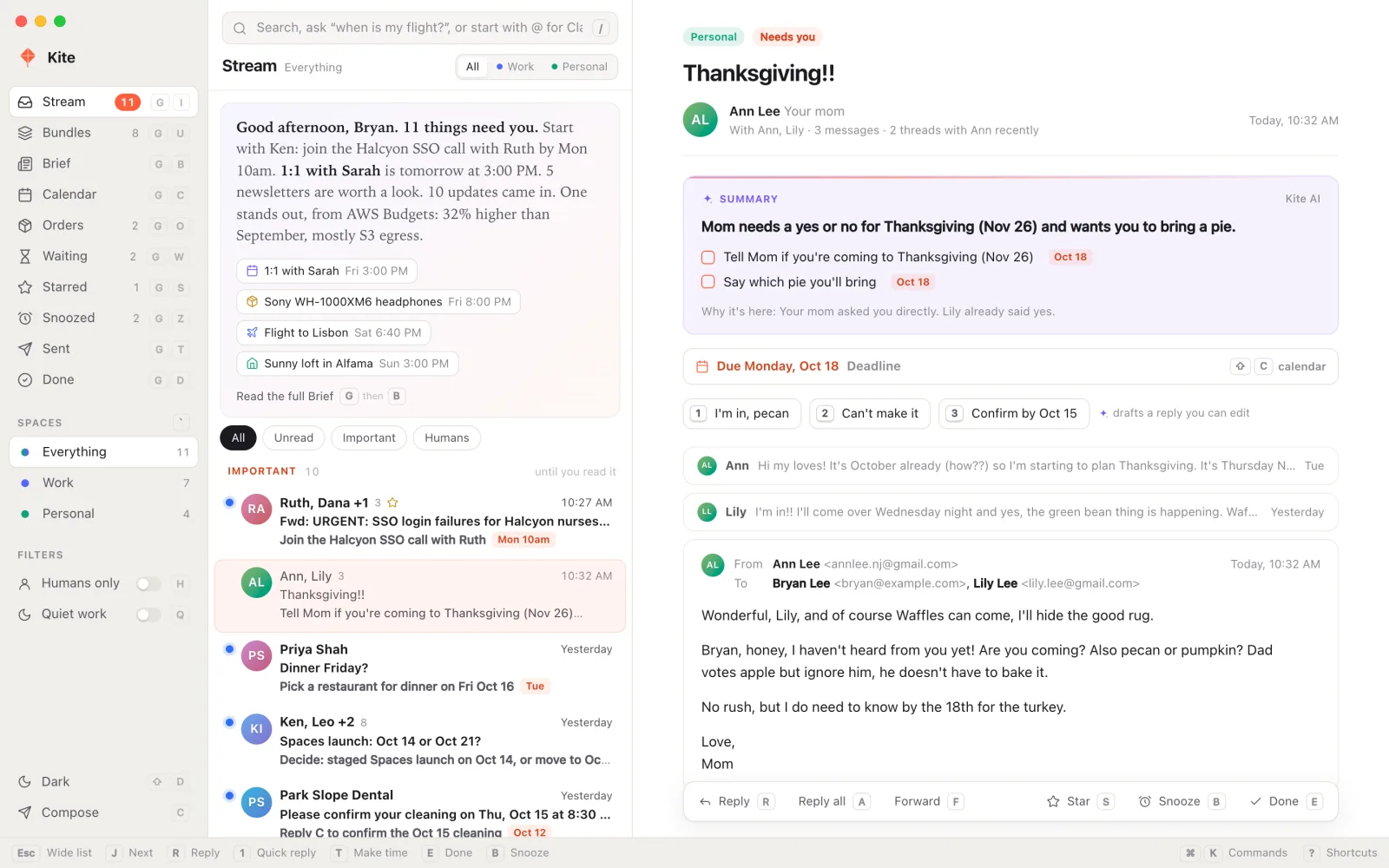
Kite on a Mac: the Stream, with a Thanksgiving email from Mom open beside it
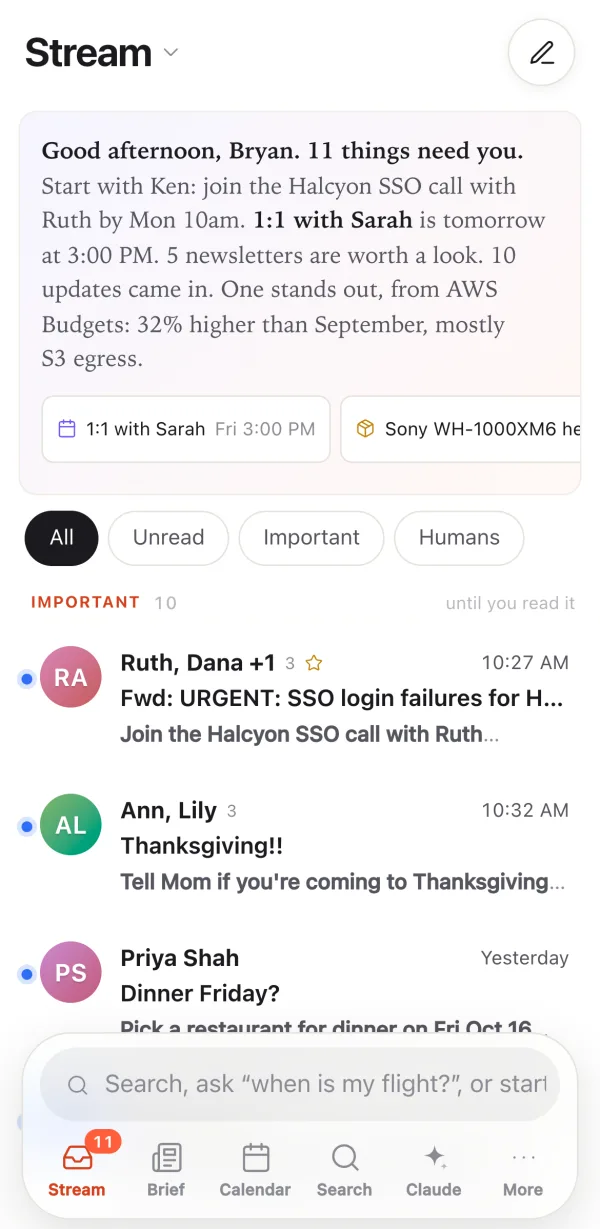
Kite on an iPhone: the morning note and the Important mail
Kite on a Mac and an iPhone.Kite is private, so these screens use its sample mailbox, with made-up mail.
The storyOct 2026

I wanted email that was fast and ran from the keyboard. I didn’t want inbox zero. I wanted to act on what mattered and scroll past the rest.

Kite is my Gmail and Google Calendar in one app, on my Mac and my iPhone. Email from a person who needs something from me sits at the top until I read it. Newsletters and updates wait below, each with a one-line summary, so I can skim them or skip them.

It borrows ideas from apps I like, such as Superhuman’s keys and Notion Calendar’s week. Then it adds its own: a morning paper, a calendar that knows what an email is about, and AI only where it helps.

The idea
The mail that needs you rises to the top. The rest you can scroll past.
What makes it good07 ideas
01

A morning paper

The Brief lays out the last day of mail like a newspaper. The date is the headline, and a short note sums up the day. Important mail runs down the left, the best newsletter is the lead story, and what’s coming up sits on the right.

Catching up should feel like reading, not sorting. Every newsletter comes with its point, so you can read the one that matters and skip the rest.
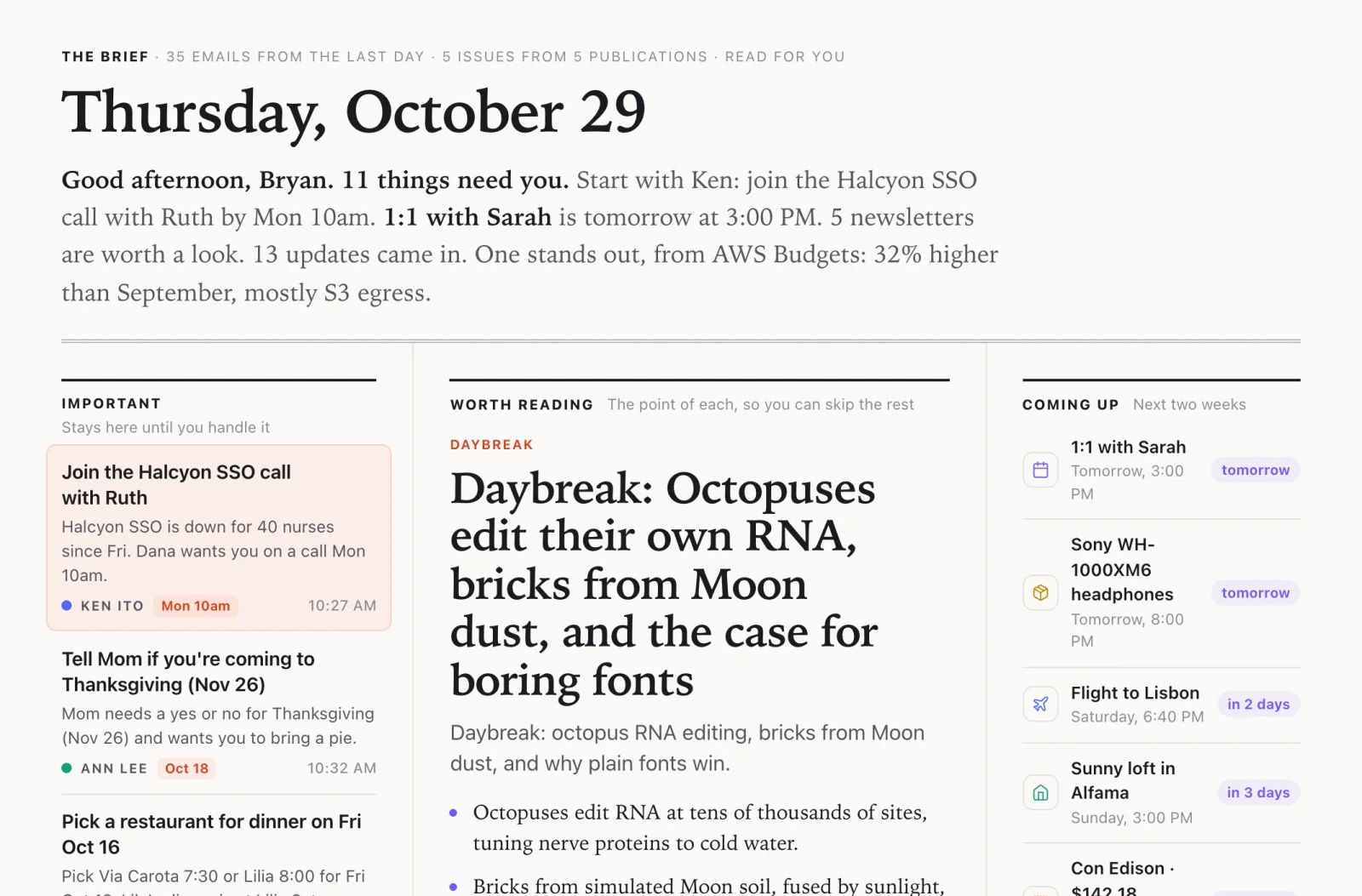
The Brief for Thursday, October 29, laid out like a newspaper
02

Humans only

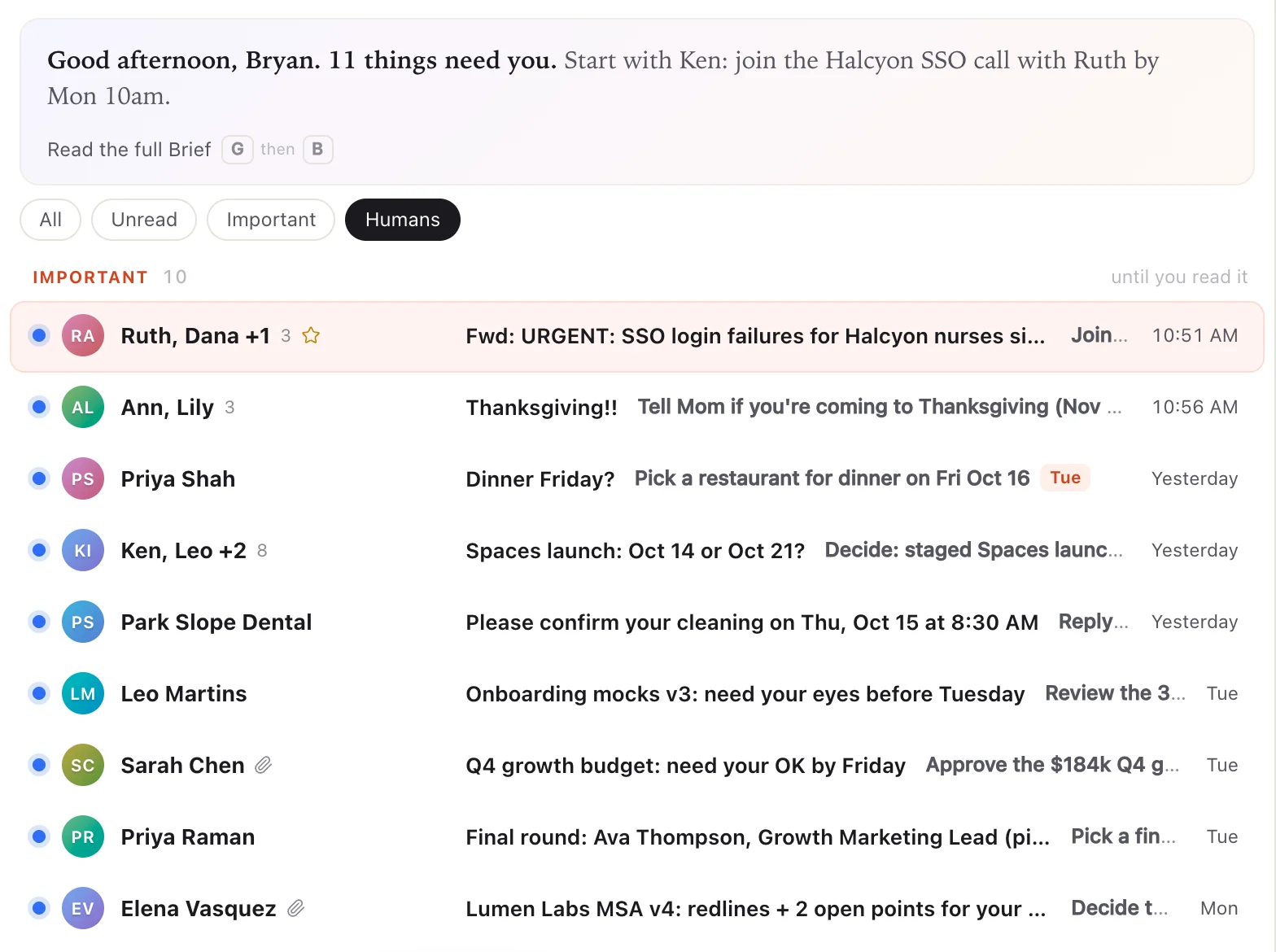
Press H, and the Stream shows only mail from real people: the asks, the replies, and the conversations you’re part of. Receipts, newsletters, and no-reply senders step aside until you press H again.

Kite reads the signs a robot leaves, like a no-reply address or a team sign-off from a stranger. A thread you wrote in counts as a conversation, even when Gmail files it under Updates. Press Q for Quiet work, and work mail waits until Monday.

The Humans filter is on: the Stream shows Ruth, Mom, Priya, Ken, and other people, and no robots
03

Bundles for the low-stakes mail

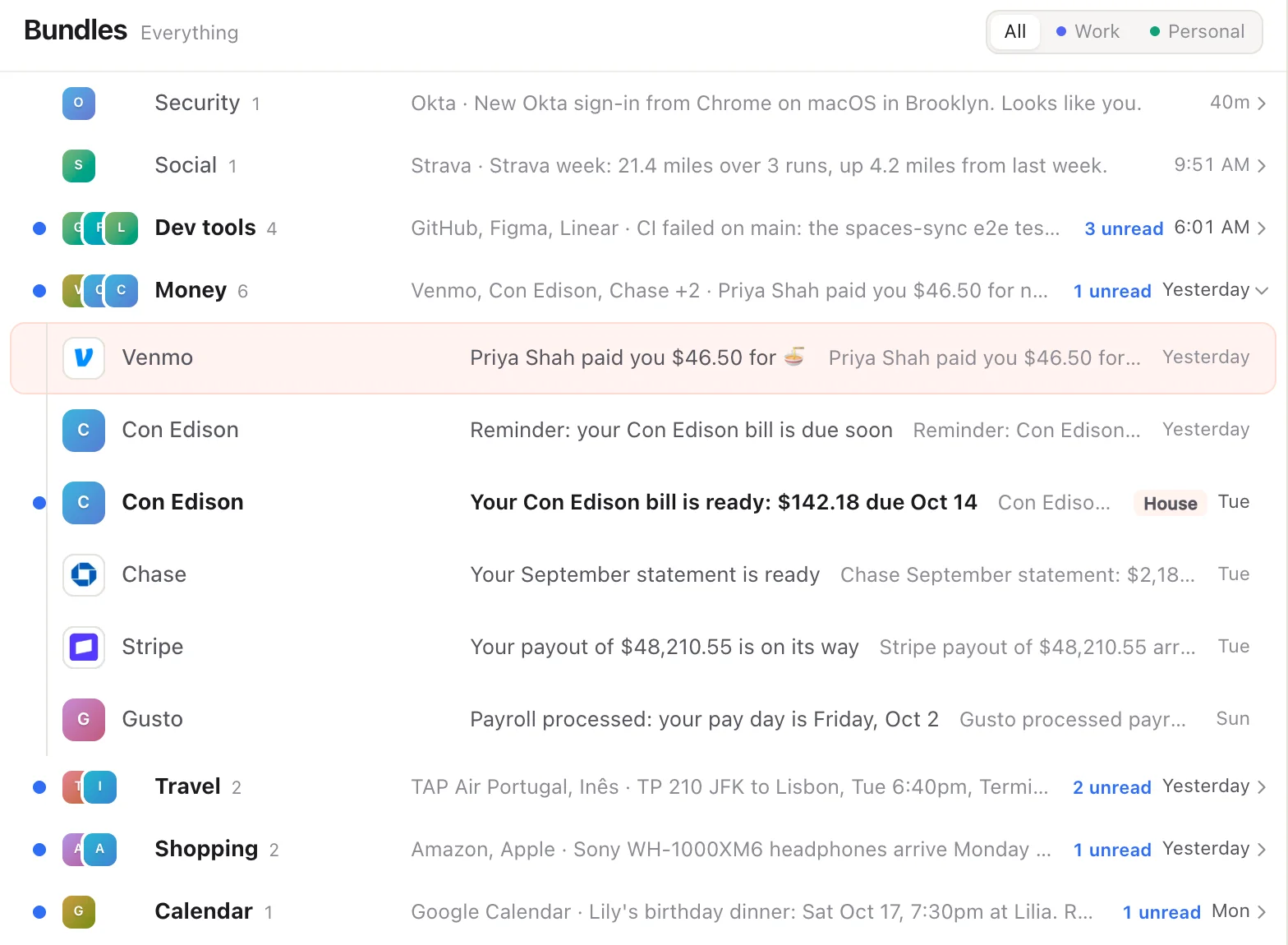
The Bundles view groups routine mail by what it is: Money, Travel, Shopping, Dev tools, Security. Each bundle shows who sent it, its newest line, and how much is unread. Step in with the right arrow, or press E to mark a whole bundle done at once.

Six money emails take one key, not six. Press Shift-B on any email to move its sender into a bundle, or to keep them out of bundles for good. The Stream stays flat, so new mail never hides inside a bundle.

The Bundles view with Money open: Venmo, Con Edison, Chase, Stripe, and Gusto
04

Orders, without opening a shipping email

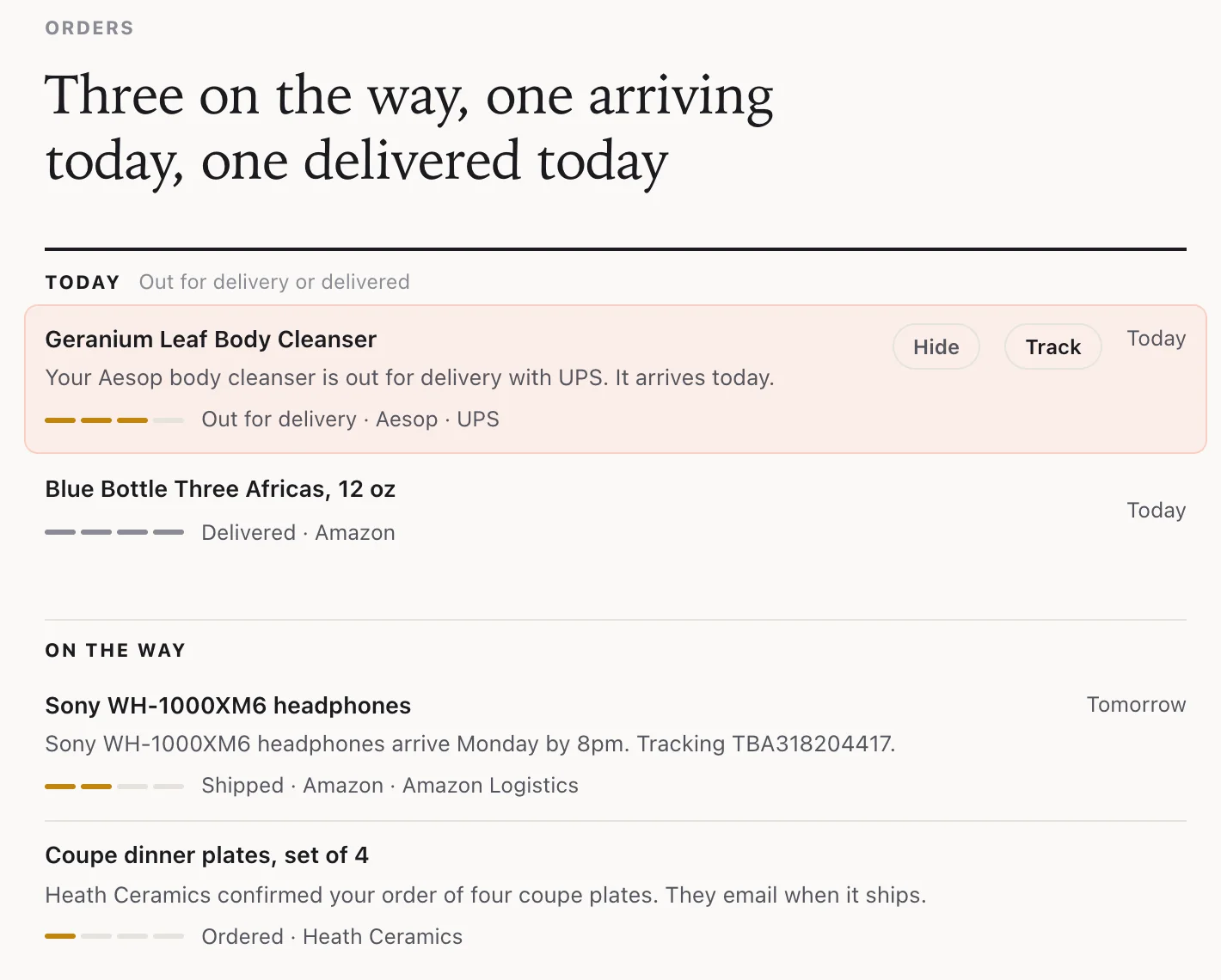
Kite reads your shipping emails and turns them into one page: what arrives today, what is on the way, and what came. A one-line headline says it all, like “Three on the way, one arriving today.” Each order shows its store, its carrier, and how far along it is.

A package marked delivered never slips back to “on the way” when a late update arrives. Food delivery stays out, old news drops off on its own, and E hides an order Kite got wrong.

Orders: one arriving today, one delivered, and two on the way
05

Time-block your to-dos

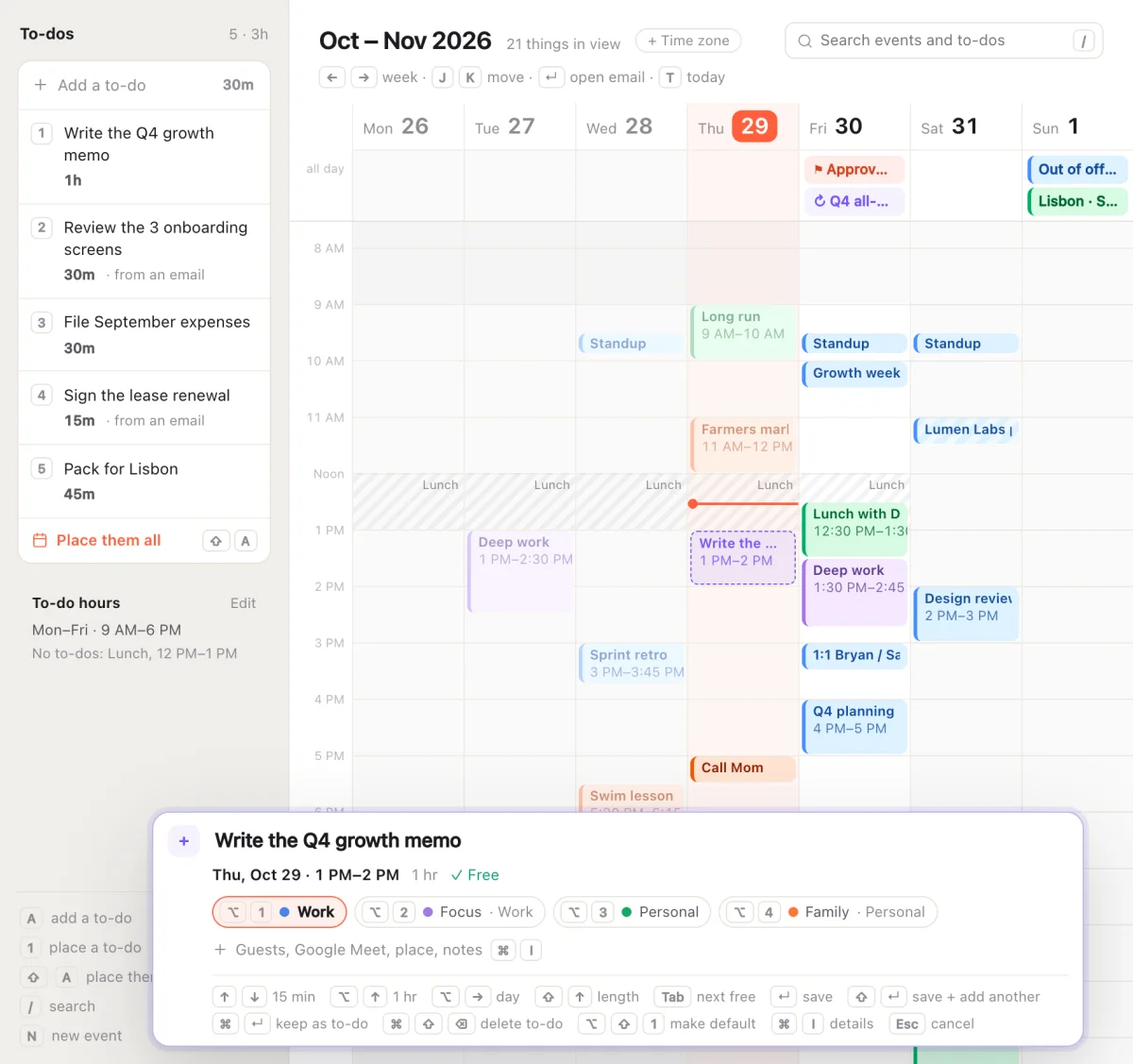
Your to-dos sit beside the week, each with a length. Press its number, and it lands in your next free slot as a draft. Arrow keys move it by 15 minutes, Option and the arrows move it by an hour or a day, and Tab jumps to the next free time. Shift-A places them all.

You set your to-do hours once, with working days and a lunch break, so a to-do never lands on your lunch. Shift-T turns any email into a to-do, and it remembers which email it came from.

Five to-dos beside the week, with “Write the Q4 growth memo” drafted at 1 PM on a free Thursday
06

Put an email on your calendar

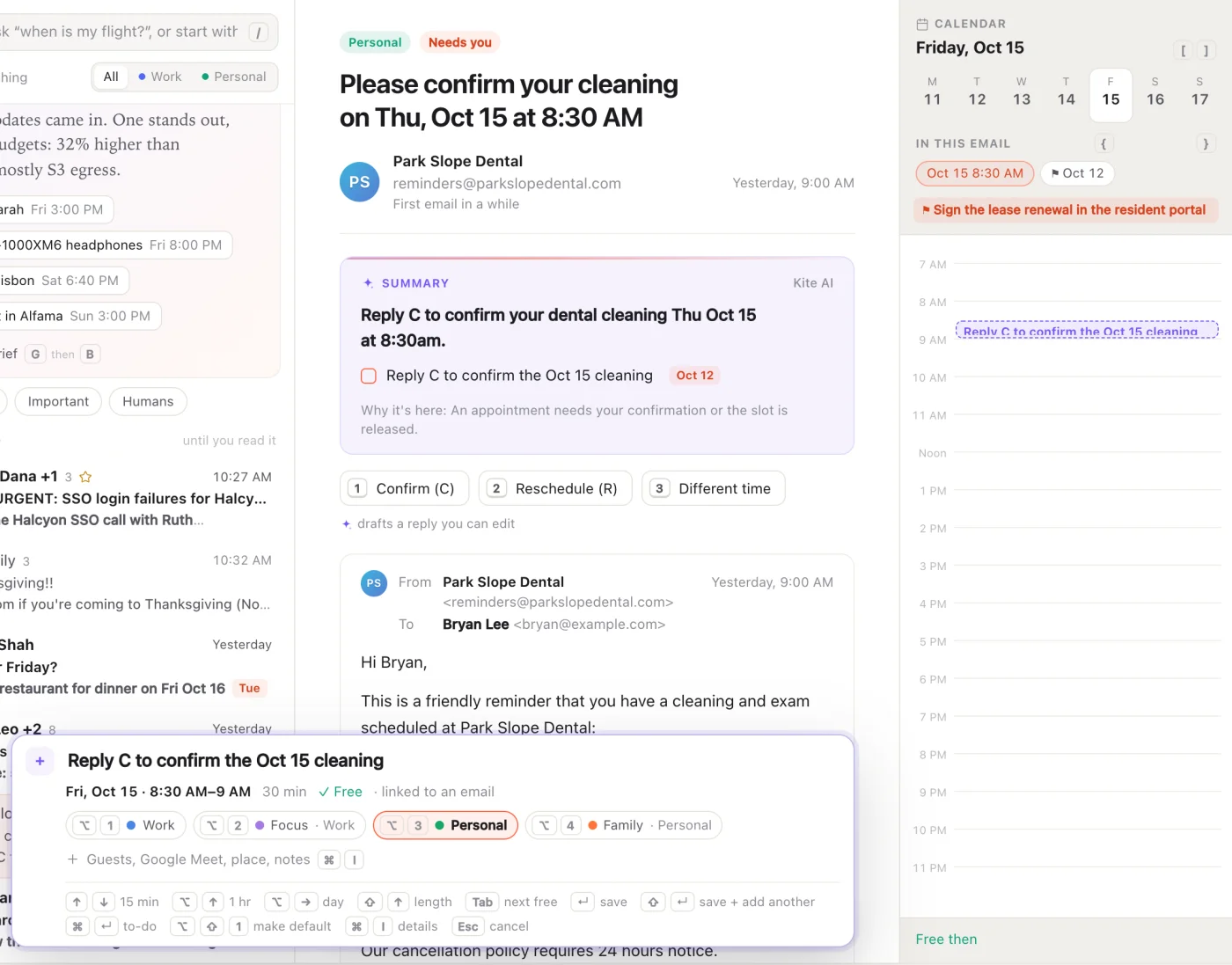
When an email names a time, Kite sees it. Press T, and a draft event appears at that time, linked to the email, with one key for each calendar. A calendar invite shows as a card, with any clash and keys to answer yes, maybe, or no.

An email about a dentist visit and the visit itself belong together. You see that the time is free before you say yes.

A dentist email beside the calendar, with a draft event at 8:30 AM that is free
07

Search that answers

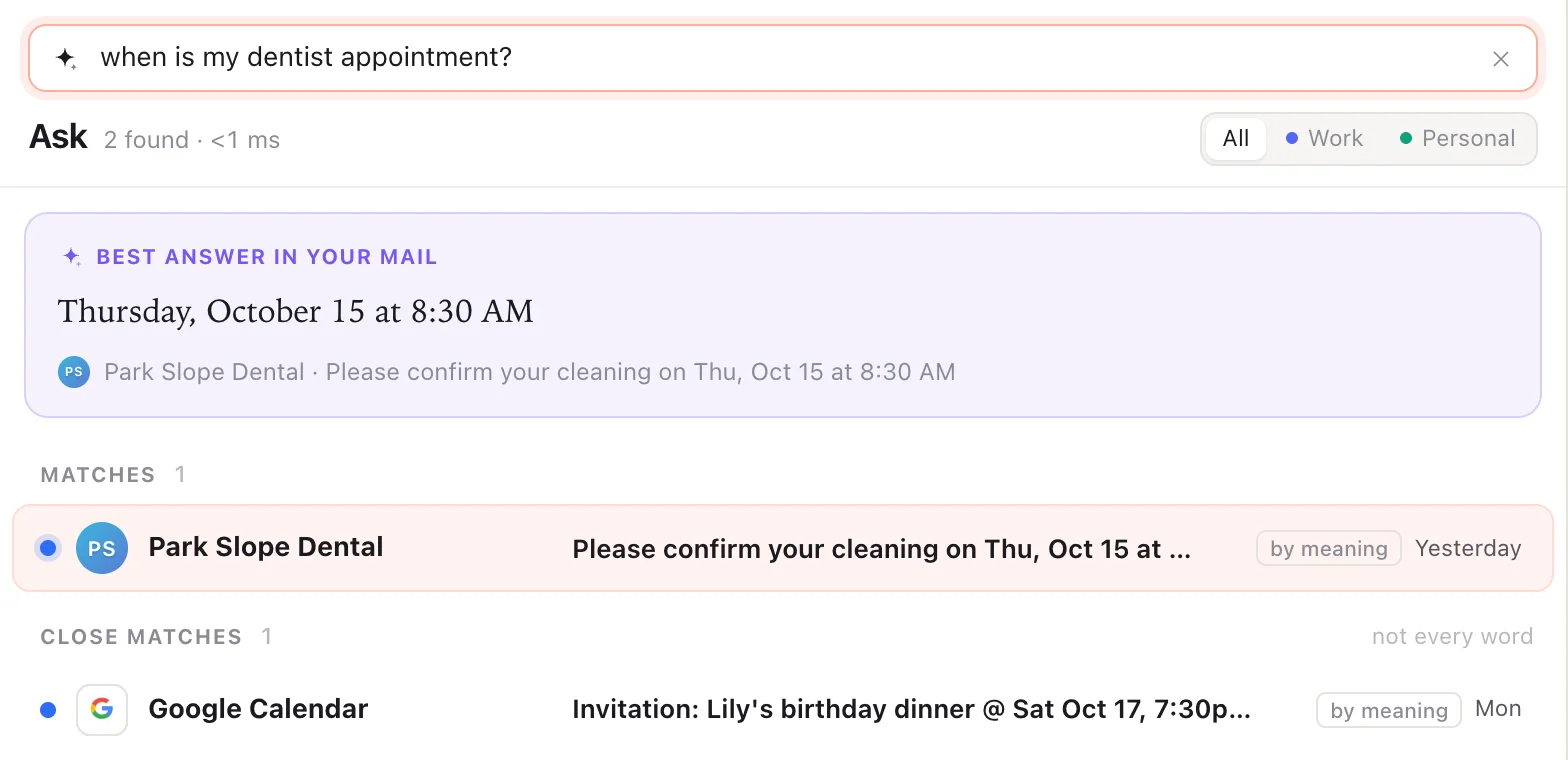
Ask a question, like “when is my dentist appointment?”, and the answer sits on top: Thursday, October 15 at 8:30 AM. Results show up as you type, and each one says why it matched: in the subject, in the text, by its label, or by meaning.

On the Mac, Kite also searches by meaning, right on your computer. The dentist email never says “dentist,” and Kite still finds it. It forgives typos, “flight” also finds itineraries and boarding passes, and about a year of older mail is ready to search at once.

A search for “when is my dentist appointment?” answers Thursday, October 15 at 8:30 AM, matched by meaning
The look06 colors
  • Paper#f6f5f2
  • Ink#1a1a1e
  • Kite#ff5f3d
  • Unread#2f6df6
  • AI#7656f5
  • Personal#11a07c

The Mac’s own system font for the app, and its serif, New York, for the Brief and the morning note.

Warm paper and one coral accent, the color of the kite in the icon. Everything else stays quiet, so the few colors mean something: a blue dot is unread, violet is AI, and every event wears its own calendar’s color.

Try itA working demo · made-up data

Press J and K to move, Return to open, E to mark done, and S to star.

Important mail stays on top until you read it. Click a button instead of a key, and Kite teaches you the key.

KiteTry J, K, and E
The small stuff06 details
  • Ten seconds to change your mind

    Every email waits ten seconds before it sends. Hover over its note to hold it, or press Z to bring the draft back.

  • Remind me if no reply

    Ask Kite to bring a thread back in two days if nobody answers. If they reply first, it comes back right away.

  • Every email says what it wants

    A summary at the top lists each ask with its due date, and up to three ready replies wait below. Press 1, 2, or 3 to start one.

  • Click once, learn the key

    Click a button instead of pressing its key, and Kite says “Next time, press S to star.”

  • A second time zone

    Add your coworkers’ time zone, and the week shows two hour columns. “3pm CET” in a new event means their 3 PM.

  • A polite introduction

    Press Command-Shift-I on an intro, and Kite moves the person who introduced you to Bcc and thanks them.